
Marks of your own
Comments C and bookmarks B sit in the margin next to thread markers. They're yours: the agent never receives them.
Early access · free on Windows · macOS and Linux soon
Qrabbit is a reader for difficult material. Highlight a passage, explore it with AI, branch off inside any answer and go as deep as you need. The paper stays where you left it, and everything you explored stays attached to the passage it came from.
Runs on your Claude or ChatGPT subscription, through Claude Code or Codex. No API key.
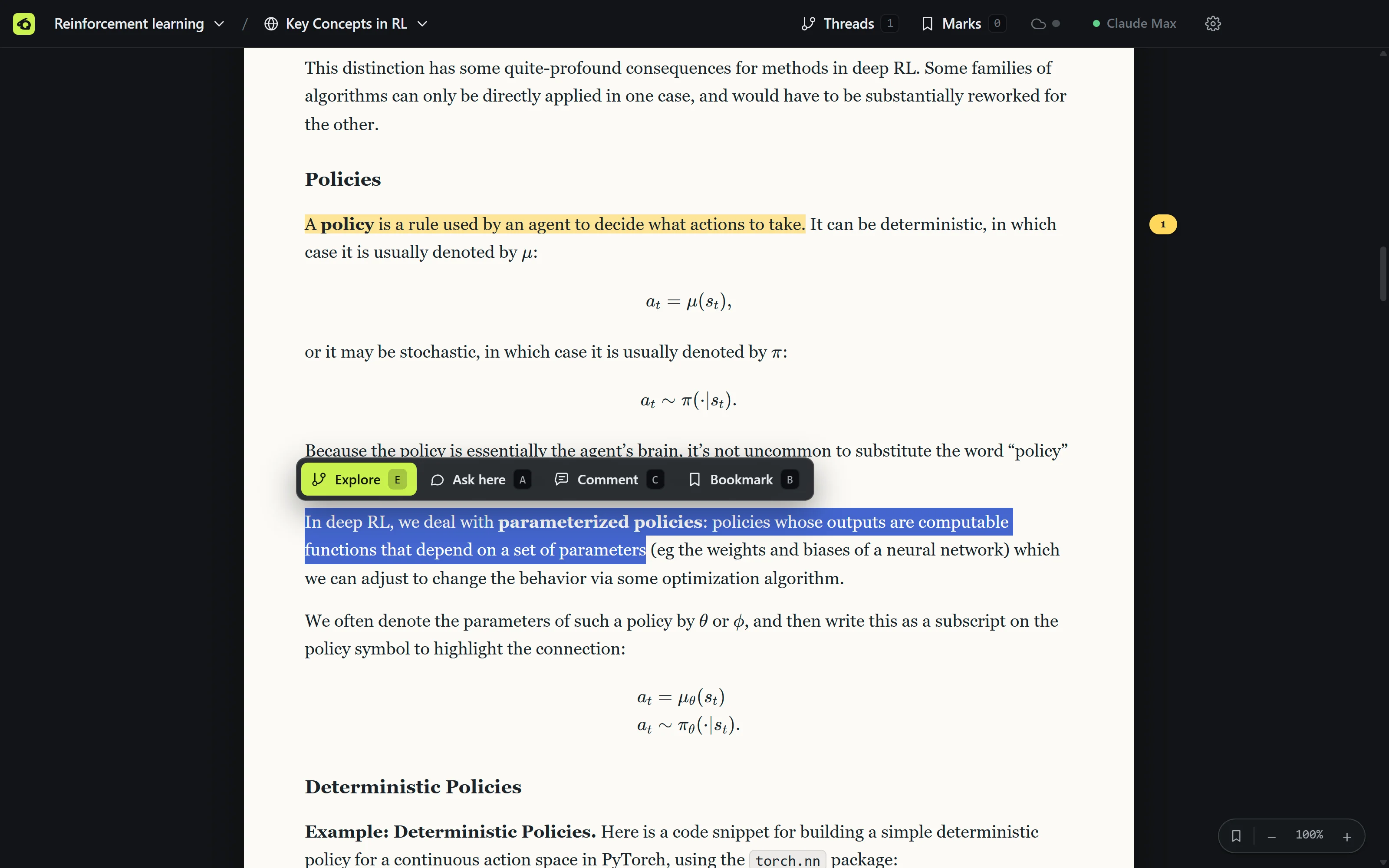
Select a passage and choose Explore. The thread opens beside the paper with the passage and the text around it already in hand, and the highlight stays in the paper as your way back to it.
A typical chat
In deep RL, we deal with parameterized policies: policies whose outputs are computable functions that depend on a set of parametersWhat does this mean?
Qrabbit
When an answer has several parts, AI reaches for a list, and following up on each point turns one chat into a tangle of lists inside lists. In Qrabbit you highlight a point and it opens its own branch. The outline keeps every branch in order, and the answer stays where it was.
A typical chat
Qrabbit

The rabbit hole
Curiosity should be cheap. Follow it as deep as it goes, keep exactly what you learned, and come back to the sentence you were reading.
Select a passage and press E. A thread opens beside the paper, anchored to it, with the text around it already in hand.
Select a phrase in the answer and Explore again. The branch opens with a handoff from its parent, so it doesn't start from scratch.
Branch inside the branch, and again. Every tunnel stays on the map: the breadcrumb, the outline and the markers in each answer.
Click the parent or press Alt+↑. There's nothing to close or resolve: the parent picks up what the branch learned with your next question.
Also in the box
Comments C and bookmarks B sit in the margin next to thread markers. They're yours: the agent never receives them.
Add a URL and it's fetched once, reduced to its article text and saved as Markdown, so you can highlight it, explore it and read it offline.
Formulas published as images, MathML or MathJax come back as real LaTeX. Code blocks keep their language, and callouts stay callouts.
The agent answers with the passage, the text around it and page numbers, and reads the rest of the source itself when it needs to.
No sidebar. Collections, sources, threads and marks live in header menus, the divider drags, Focus hides the paper, and everything has a shortcut.
Reads inside the collection and writes under notes/ are allowed. Anything else asks you first, right in the thread.
Collections
Put sources in the order you'll read them, tick off what you've finished, and pick up where you left off. Reading positions are kept per source and per thread.


A collection is an ordinary folder of Markdown, JSON and PDFs. Open it in Obsidian, track it with git, back it up however you like. The app's own state lives in .qrabbit/ and is safe to delete; removed sources wait a week in its trash.
            reinforcement-learning/


            qrabbit.json
            the manifest and your reading order

            AGENTS.md
            instructions any agent reads here

            sources/
            PDFs, and web pages saved as Markdown

            key-concepts-in-rl/


            source.md
            the article, with its link

            text.md
            extracted text with page markers

            annotations.json
            your comments and bookmarks

            threads/
            one Markdown file per thread

            notes/
            where the agent may write
Bring your own subscription
Qrabbit doesn't sell AI and never asks for an API key. It drives the coding agent you already have through the Agent Client Protocol, so every turn comes out of your existing plan. Claude Code and Codex work today; more agents and local models are on the way.
Ask a follow-up, or highlight the paper and choose Ask here
Sign in once through Claude Code's own terminal flow, started from the header menu.
Qrabbit never reads an agent's tokens, config files or keychain entries.
Pricing
The app is a free download. Qrabbit Cloud is for keeping your work safe and in step across machines.
$0free download
The whole reader. Your files, your agent, your machine.
$5per month
Your work, saved and synced. Pick up on any computer where you left off.
Download
Qrabbit is in early access and free. To power the agent you'll need a Claude plan that includes Claude Code, or a ChatGPT plan that includes Codex; you sign in from inside the app.
Questions
No. Qrabbit drives Claude Code or Codex through the Agent Client Protocol, and each signs in with your own Claude or ChatGPT plan in its own flow. Qrabbit never sees a credential.
Today, any Claude plan that includes Claude Code (or an Anthropic Console account), and any ChatGPT plan that includes Codex. GitHub Copilot, Gemini through Antigravity, other ACP agents and local models are planned.
In a plain folder per collection: the sources, one Markdown file per thread, your marks as JSON. Open it in Obsidian or track it with git whenever you like.
No. They're for you, and they never go into a prompt. The agent sees the passage you highlight, the text around it and what you ask.
Sync and backup of your collections for $5 a month, when it launches. The app itself stays free, and your files stay on your disk either way.
PDFs, Markdown and text files, and web pages, which are saved as clean Markdown so they read like papers and work offline.